
Judging System for UofT Hacks
Context
UofT Hacks is a large student hackathon with 800+ participants. I designed a judging system to keep evaluations fair and running on time.
Role
Mobile Lead Designer
duration
2 Month
Tools
Figma
Teams
1 Designer
3 Developer
Summary
Problem
In past years, judging regularly ran 30 minutes to 2 hours behind schedule
Solution
A Multi-Role Judging System Built Around Controlled Time Windows
I designed a system that connected admins, judges, volunteers, and hackers through synchronized schedules and admin-controlled timing windows. Judges progressed through evaluations together, scoring was automatically managed, and each role had the information needed to keep judging moving on schedule.
Impact
Despite initially anticipating 130 projects, the system scaled to support 160+ submissions, and judging still ended on time for the first time in years.
UNDERSTANDING THE SYSTEM
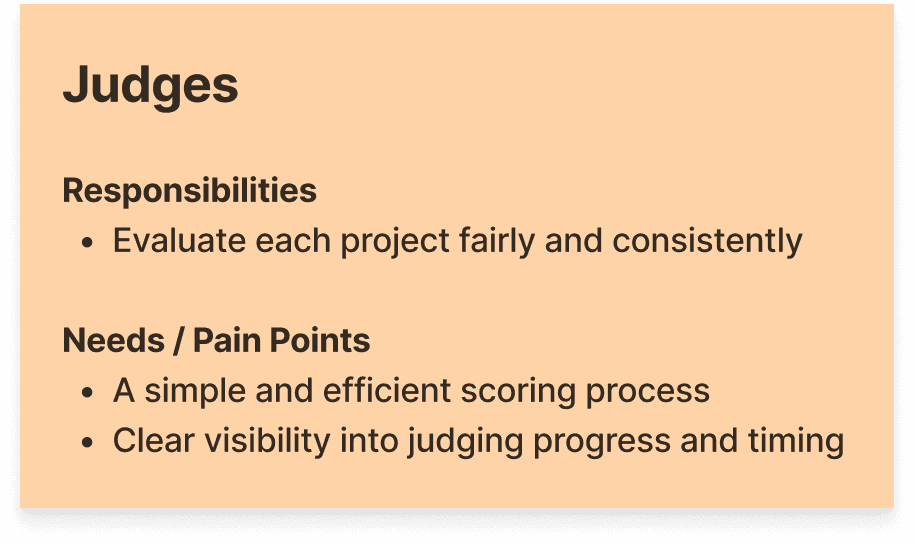
Judging was split into two timed halves, each containing both general and sponsorship judging rounds.
General Judging
Judges rotated between teams
Teams stayed in one location
7-minute judging windows
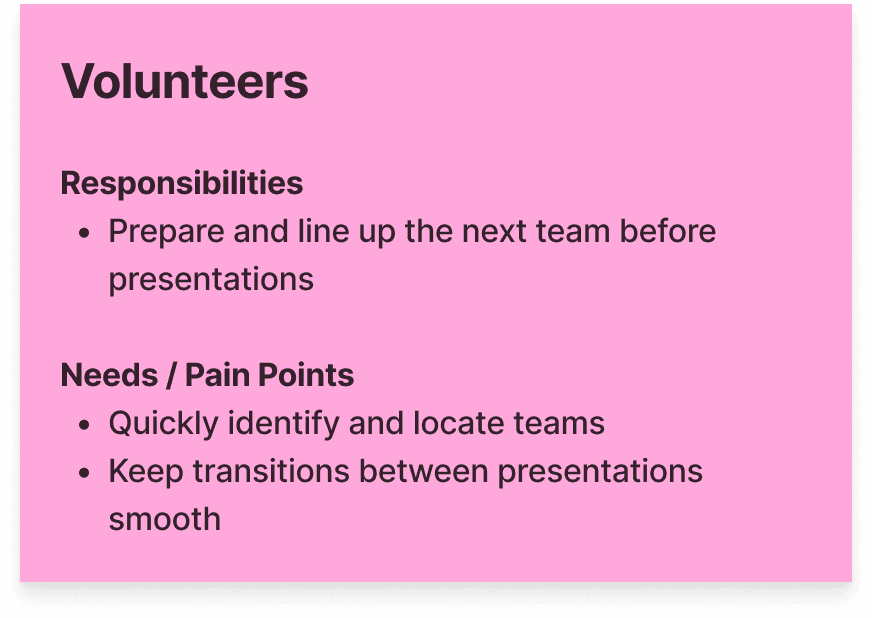
Sponsorship Judging
Teams rotated between sponsor rooms
Volunteers coordinated transitions
5-minute judging windows
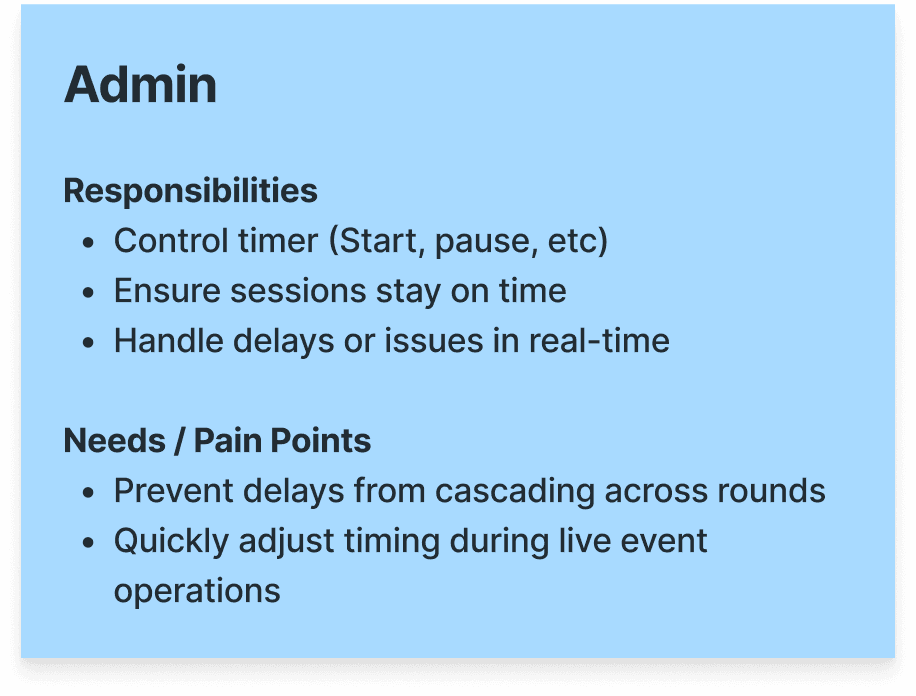
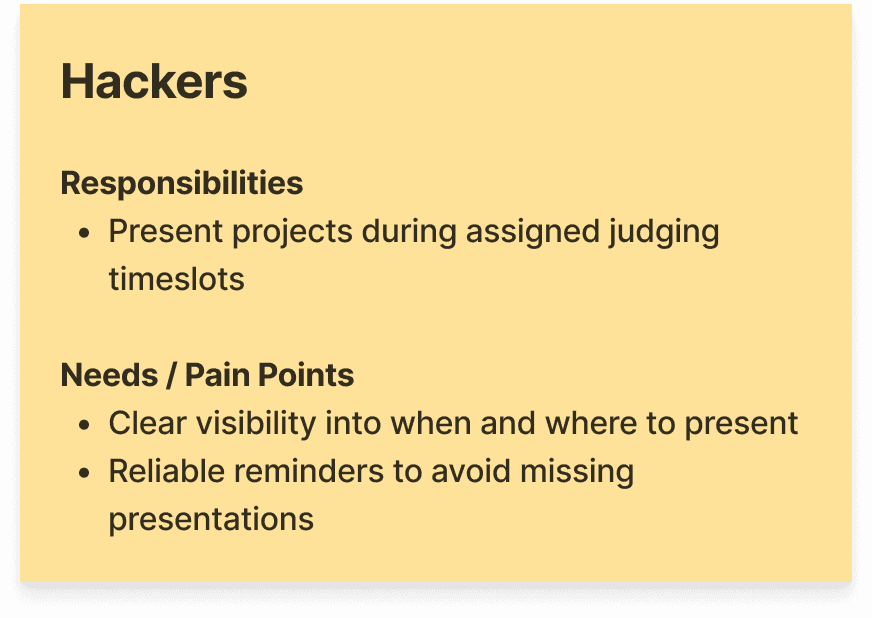
Roles & Responsibility
Define
Pain Points
⏰
Lack of Time Enforcement
Discussions sometimes extended beyond their allotted time, making rounds difficult to keep on schedule.
🛠️
Unclear and Fragmented Tools
The current system replied on manual tools for scheduling, timing, and scoring, making coordination difficult during live operations.
Design Challenge
How might we ensure judges stay within strict time limits while maintaining a fair evaluation process?
Deep Dive #1
How should we set up the judging timer?
After exploring two approaches and with the team, we agreed that we would rather go overtime than compromise the fairness of a team's evaluation. I selected the admin-controlled timer because it allowed organizers to pause judging when needed, to address any unexpected issues.
Admin-controlled timer
PROS
Removes the need for manually enforce time (no need to cut off teams or manage pacing themselves)
Allows admins to adjust, pause, or recover sessions when delays or issues occur
Keeps judges within the same group under one timer
CONS
Still dependent on accurate admin execution
Takes longer/ more complicated to develop
Real-time clock based timer
Pros
Limited to no manual management once judging starts
Eliminates timing errors from manual control
Easy/ faster to develop within limited timeframe
CONS
Cannot adapt to delays or variations in judging pace
No ability to pause or recover from disruptions
Deep Dive #2
What should judges do after completing an evaluation?
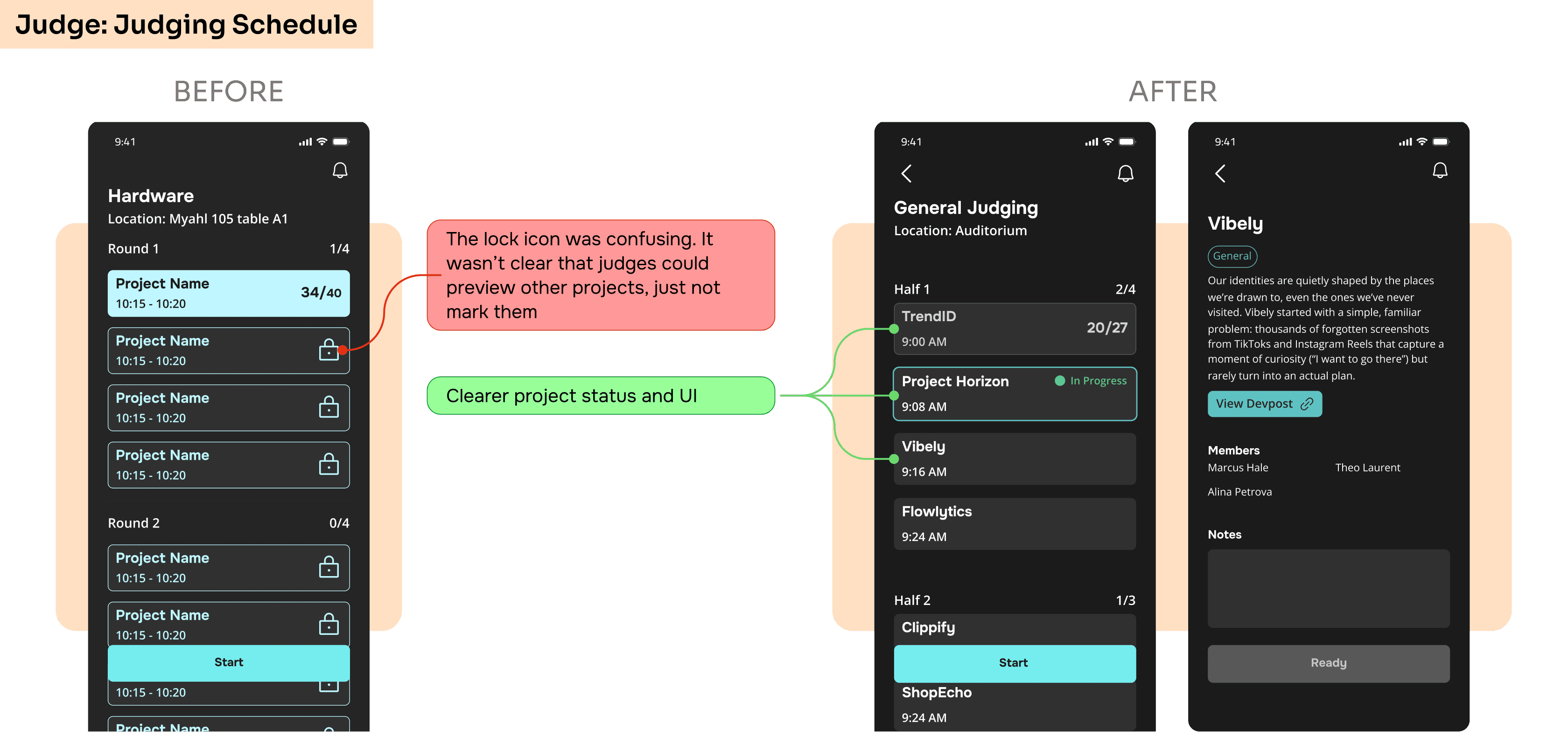
The original concept locked judges on a waiting screen until the next judging session began. While this kept judges on track, feedback revealed that waiting felt unproductive.

V1: Locked Waiting Room
Unproductive
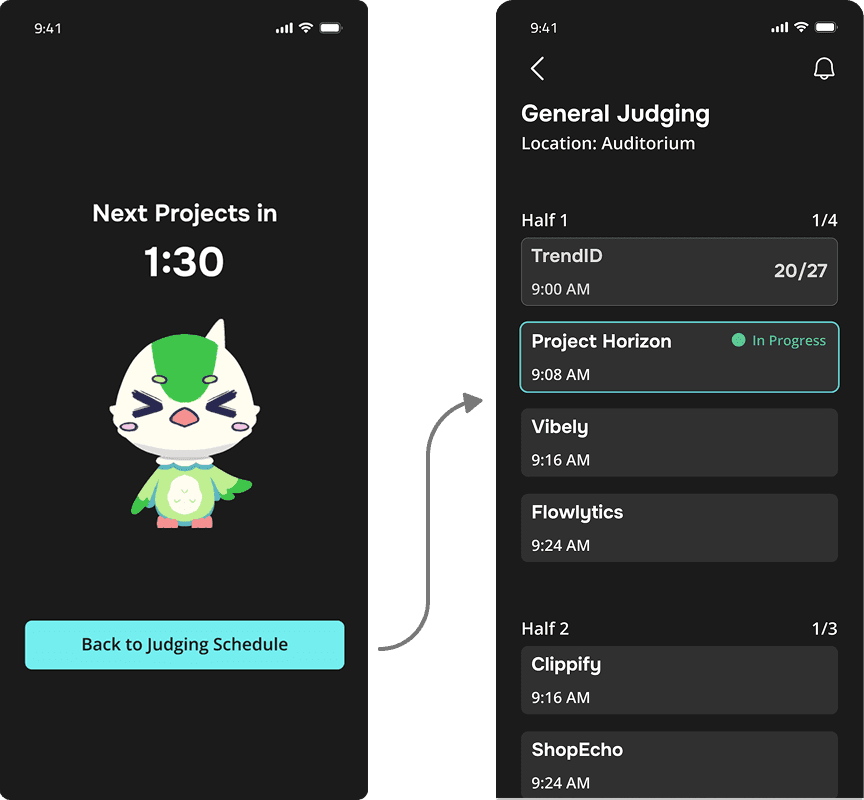
V2: Free Navigation
Easy to lose track of the judging flow
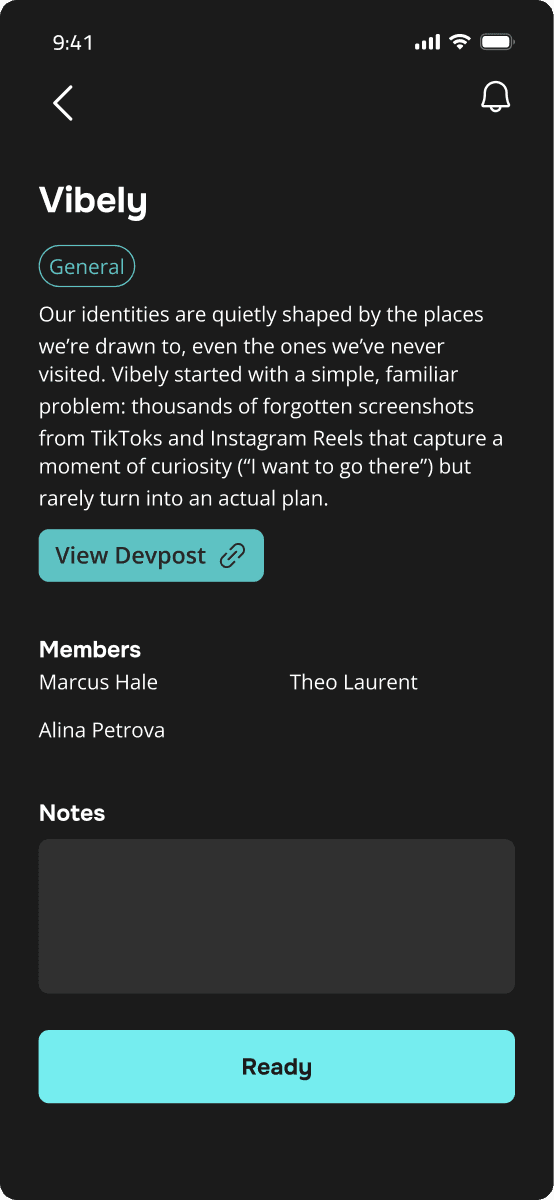
V3: Preview Next Project
Prepare ahead of time
Reduced navigation
Keeps judges on track
Define
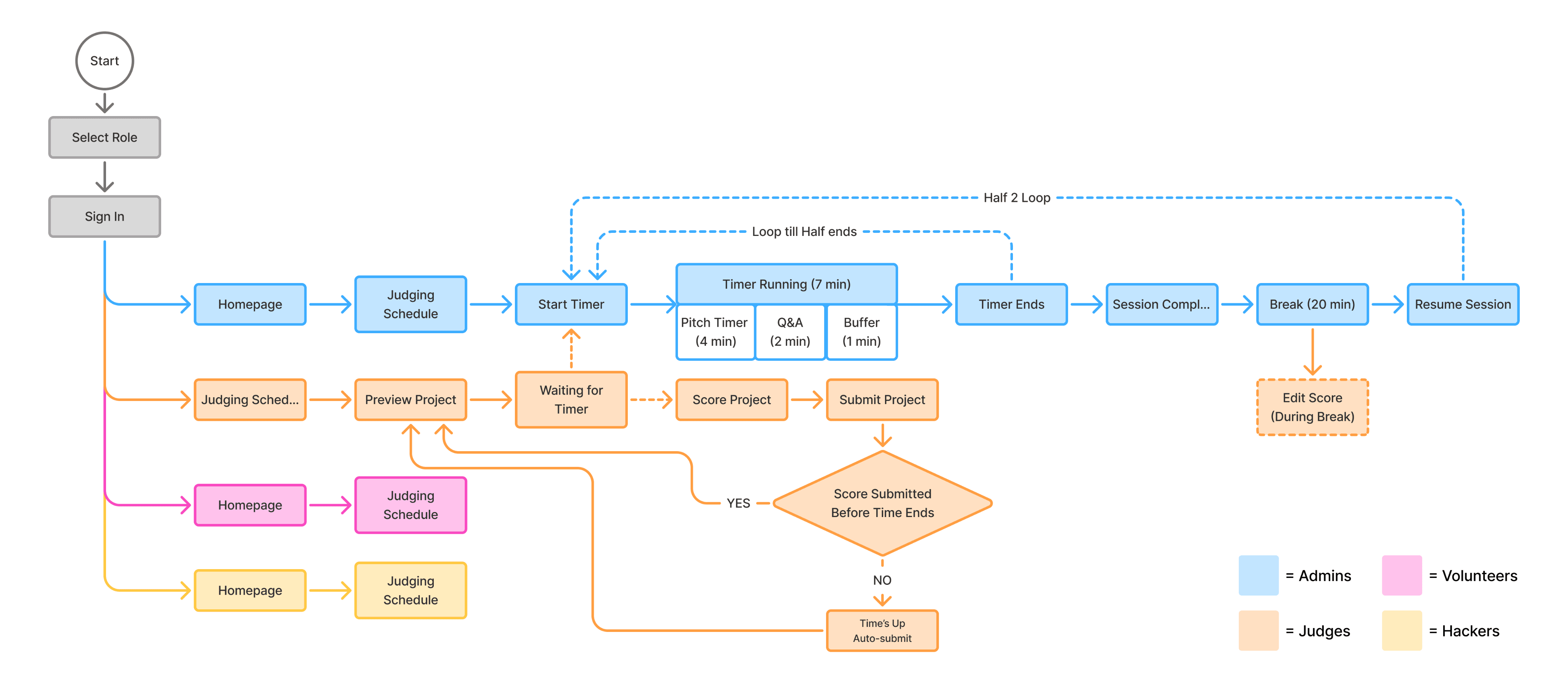
Flowchart
I mapped how admins and judges interacted throughout the judging process. Admins controlled the shared timer for each round, while judges followed synchronized evaluation windows. When time expired, scoring automatically locked and judges were advanced to the next project.
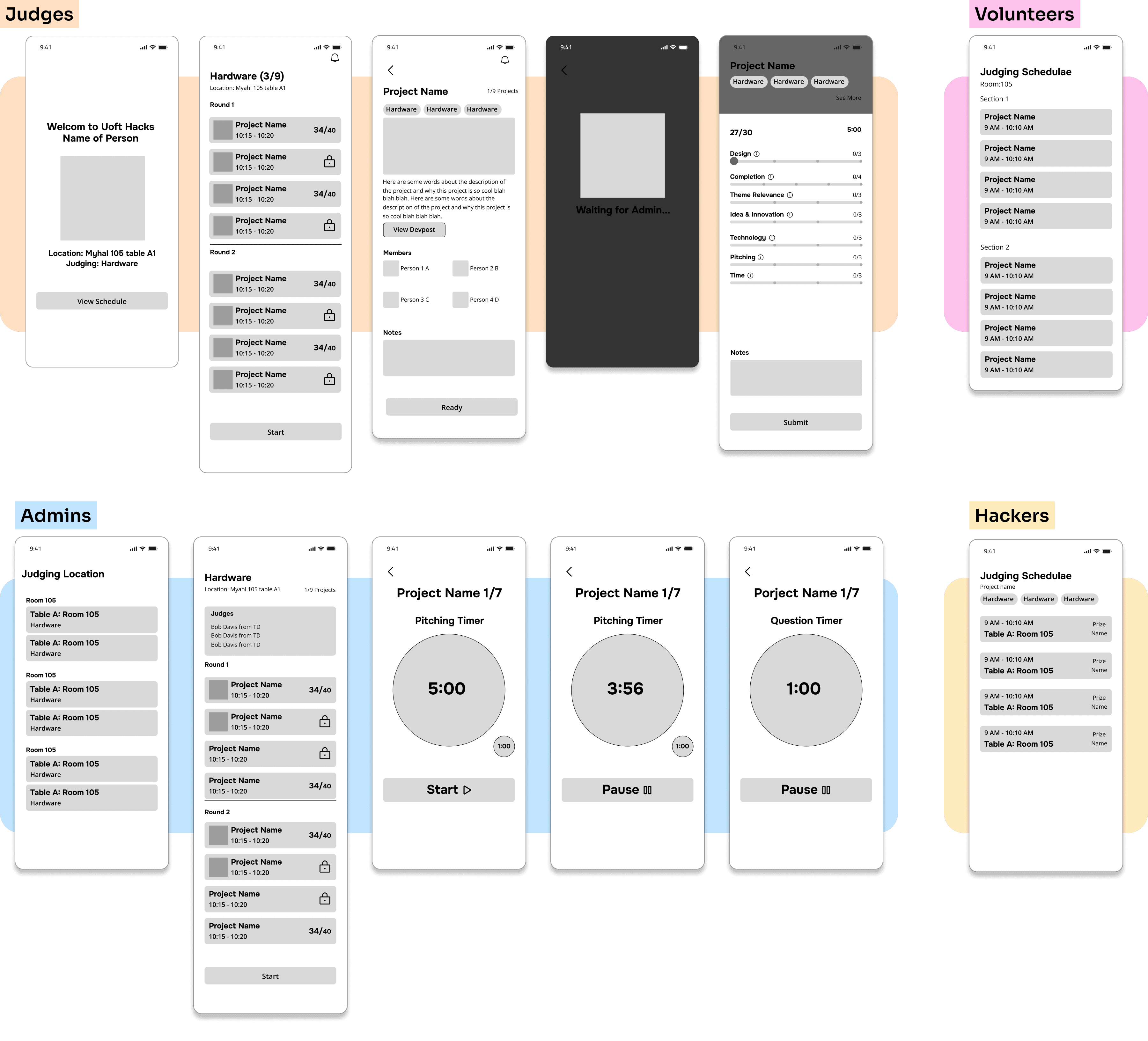
LOW - FI
Explored early concepts and design dor each role of the judging system.
Usability Testing
Conducted usability testing with 5 organizers, along with reviews from VPs and engineers, to validate the system and identify areas for improvement.
Final DESIGN
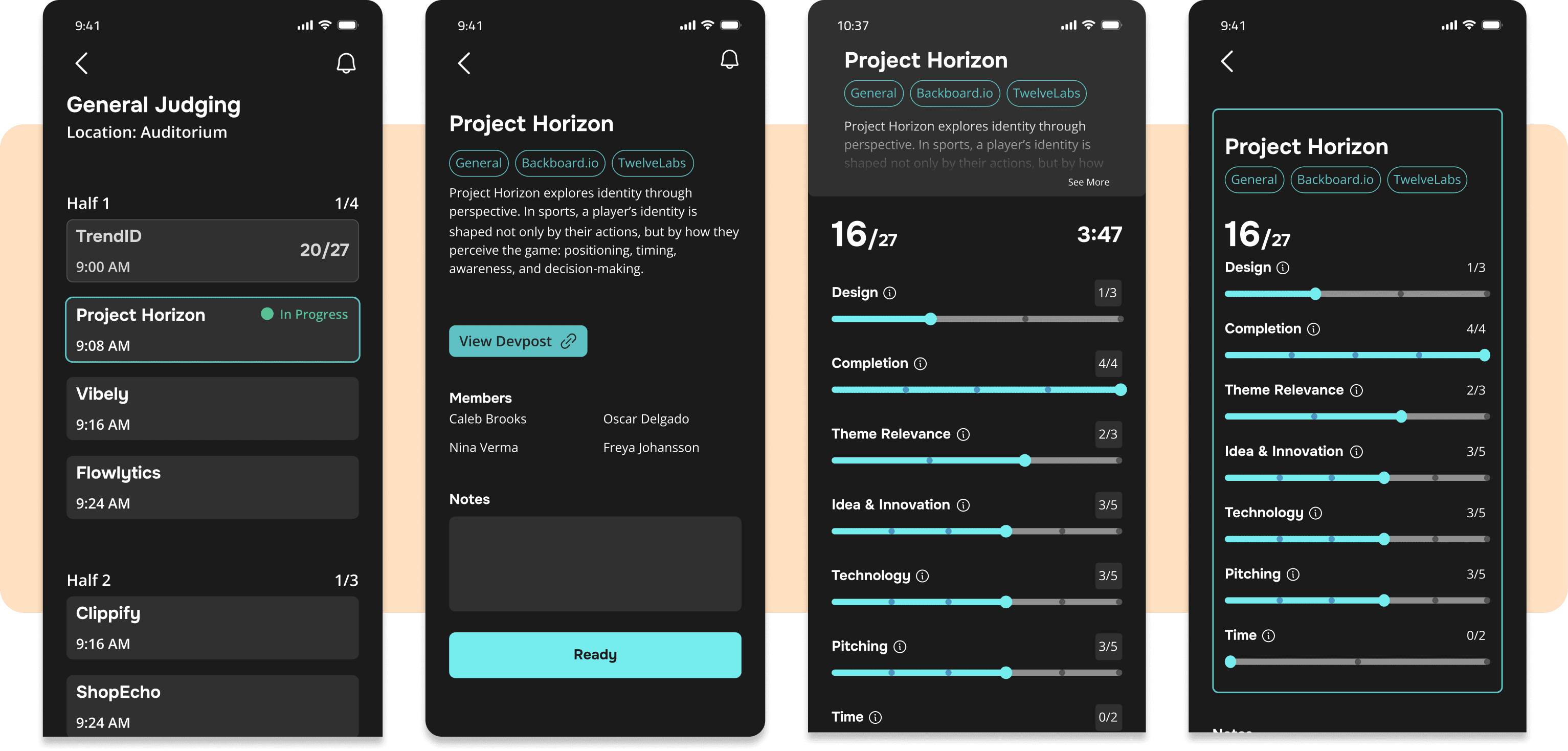
Judge
Provides judges with everything they need to evaluate projects, from viewing schedules and project information to submitting scores during each judging round.
• View judging schedule
• Review project details
• Mark projects
• Submit scores
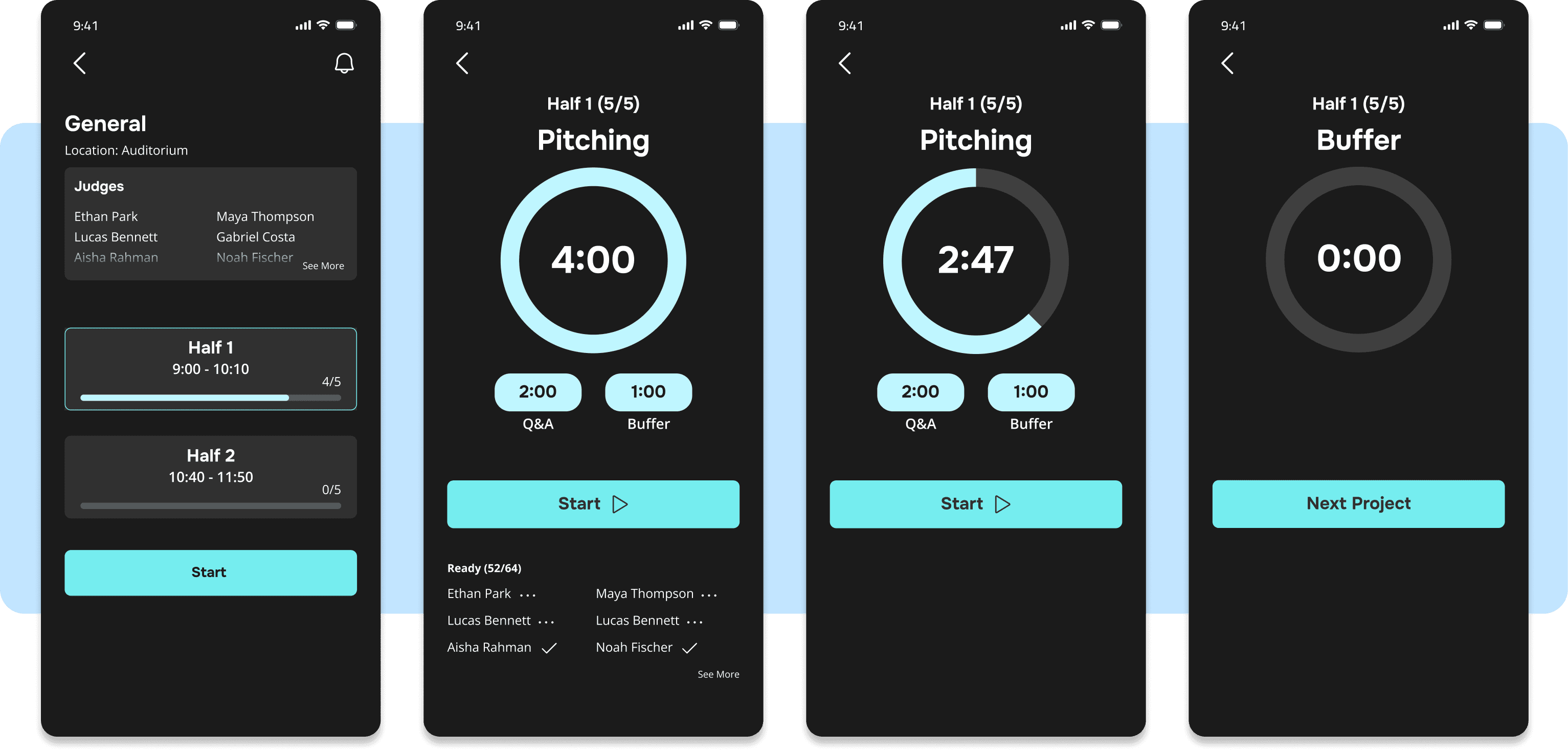
Admin
Admins oversee the judging process by launching judging rounds and keeping each room synchronized throughout the evaluation.
• Review judge progress
• Start judging rounds
• Control pitching, Q&A, and buffer timers
• Advance judges to the next project
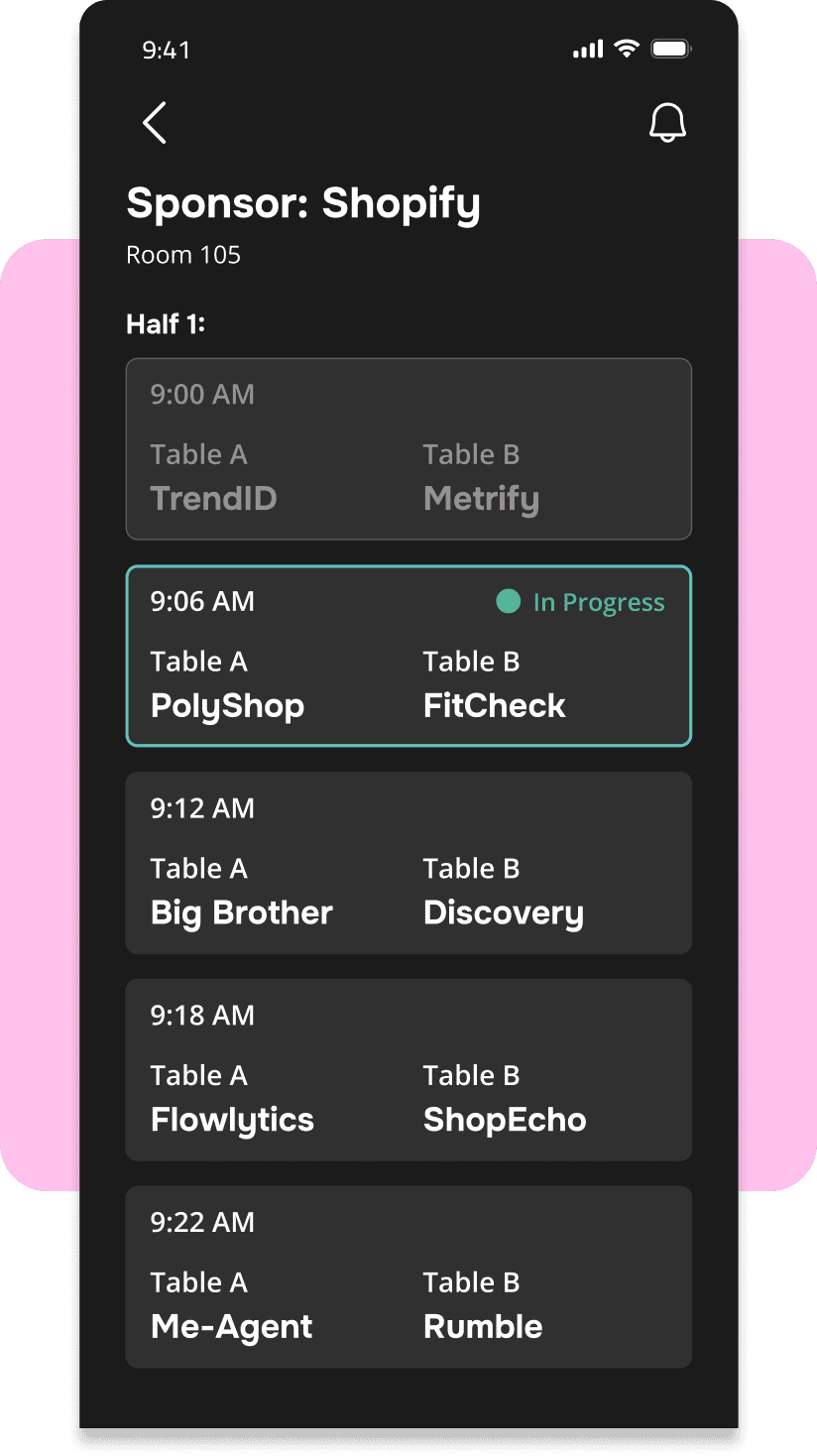
Volunteer
Help coordinate room flow by tracking presentation order and preparing teams before their judging slot.
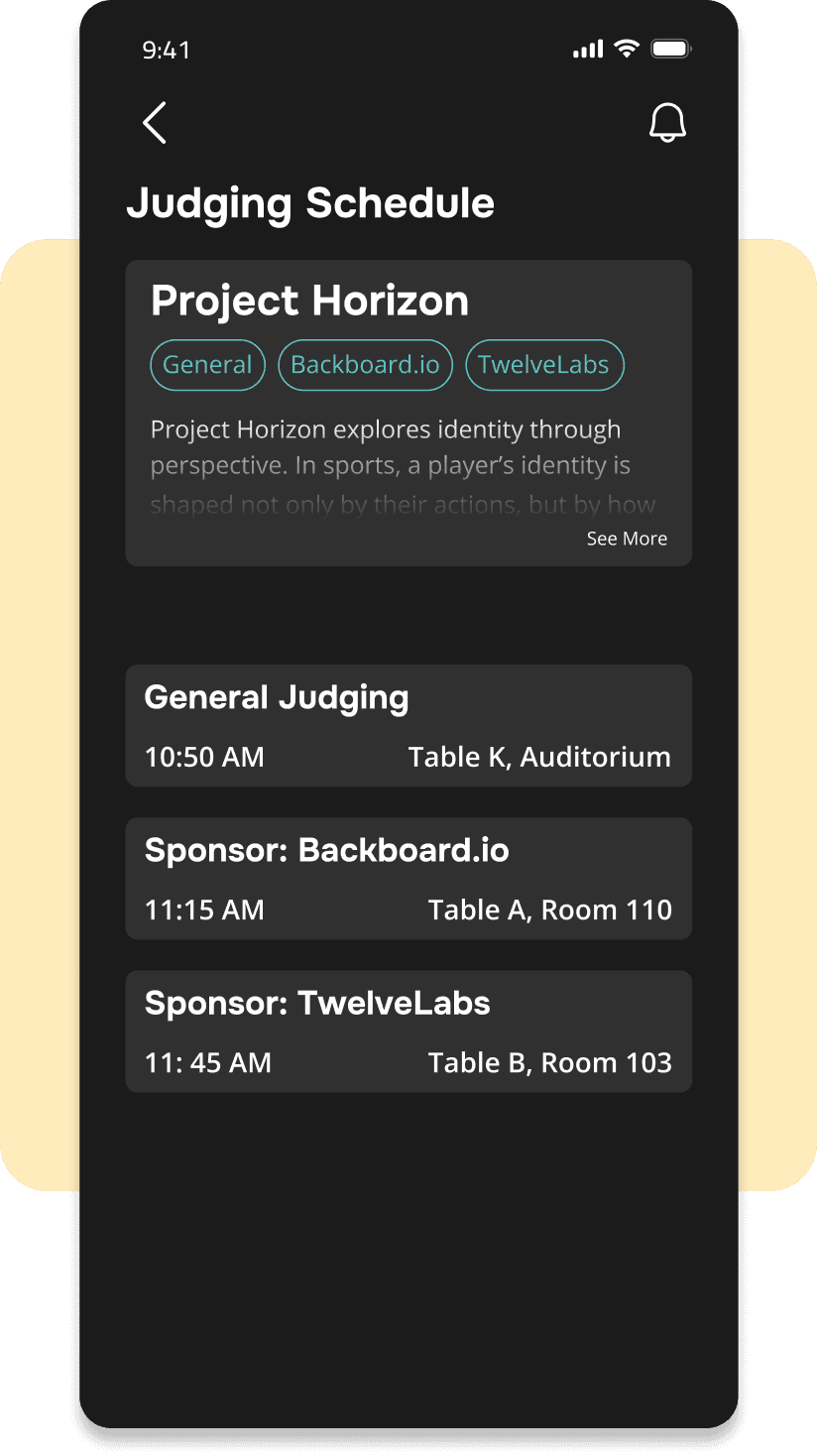
Hacker
Hackers can view their team's judging schedule and presentation details to help them prepare and arrive on time.
Reflection
What I Learned...
This experience taught me to think beyond individual screens and consider how people, processes, and timing work together. Solving the challenge wasn't just about creating interfaces, but coordinating an entire judging operation.
Future Opportunities
🧑💻
Expanding Administrative Flexibility
Give organizers greater control over assignments and scheduling, making it easier to adapt to unexpected changes during live events.
🦌
Bringing More Personality
Incorporate more mascot animations and micro-interactions to better reflect the playful spirit of UofTHacks and create a more engaging event experience.